
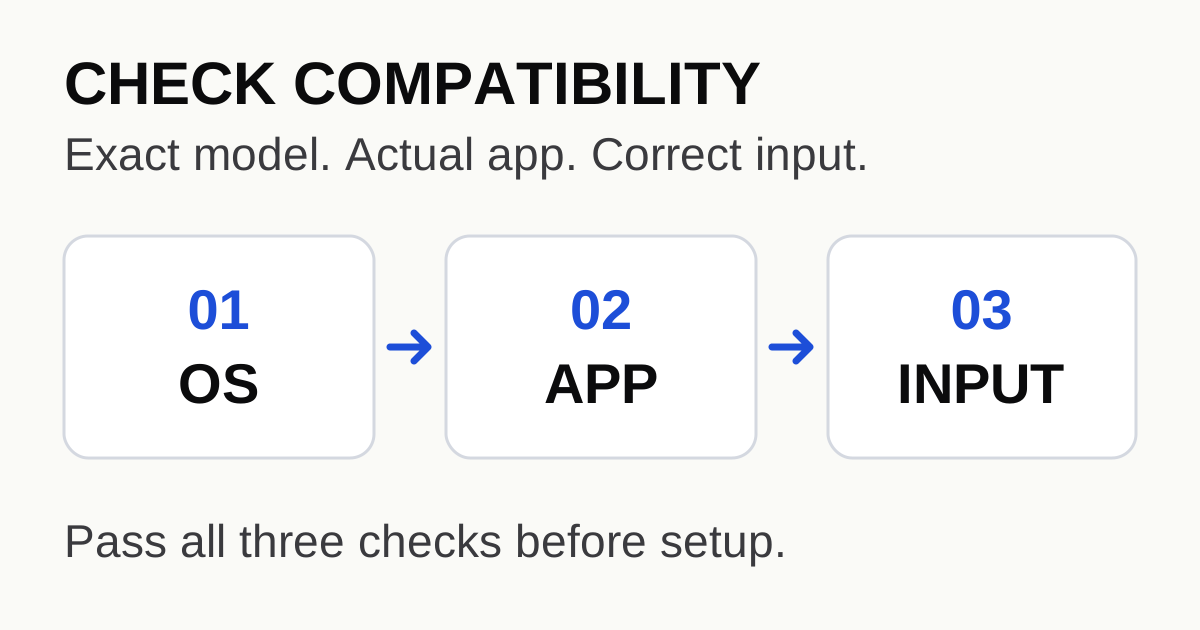
Check the exact device and operating system before choosing a player. “Smart TV” and “Fire TV” are product categories, not sufficient compatibility specifications. A workable setup must pass three checks: the application supports the operating system, it is available for the actual device and region, and it accepts the details supplied by your service.
A new television does not establish that an Android TV player runs on it
In a Reddit discussion about a Fire TV Stick and a Samsung television, a user asks where TiviMate should be installed. Replies mix application compatibility with preferences about performance. Those are separate decisions: first find an installation that the application actually supports, then compare how it behaves.
The TiviMate developer listing describes an Android TV player designed for remote-control use. That description does not make every television with an app store an Android TV device, and it does not certify a particular streaming-stick generation.
Write down the operating system, not just the brand
Use the device's system information or the manufacturer's documentation to record its full model and generation, operating system and software version. If the television and an attached streaming device both have home screens, record them separately. Choosing a television HDMI input is not the same as installing an application into the television's own operating system.
| Device path | What official documentation establishes | What you still need to verify |
|---|---|---|
| Samsung's own TV app platform | Samsung publishes Tizen app-store instructions and notes differences by model, software and region | The exact player appears in the store for your television and region |
| A documented Android TV device | An application's Android TV listing defines its intended platform | Your model's store listing, installation eligibility and input features |
| A Fire TV device running Fire OS | Amazon's model table identifies the operating system for that generation | The specific player's supported availability; an OS family is not an app guarantee |
| A Fire TV device running Vega OS | Amazon identifies Vega separately from Fire OS | A supported version for that device; do not reuse an Android APK guide as an assumed route |
This is not merely a naming concern. Amazon's official operating-system table contains both Fire OS and Vega OS devices. The table checked for this guide lists the Fire TV Stick 4K Select (2025) with Vega and the Fire TV Stick 4K Max, second generation (2023), with Fire OS 8. Therefore, an instruction addressed simply to “all Fire Sticks” can be too broad. Recheck the manufacturer's entry for your model instead of extrapolating from an older tutorial.
Confirm the application through its real listing
Use the device's app store and the application's official site or developer listing. Record the developer name, supported platform and app version. A similar icon or name is not enough to identify the same product.
Samsung's own installation guide describes finding an application in its TV app store and installing it, while noting that screens and availability differ. Follow the guide appropriate to your television; the fact that a different app can be installed does not demonstrate that TiviMate is available there.
If the application is not offered for the model or operating system, mark that path as unconfirmed. Do not solve the uncertainty by buying a subscription first, downloading a package from an unknown mirror, or following a tutorial for a different operating system. An officially supported application on the television or on an attached compatible device is a clearer path to evaluate.
Application compatibility is only one of the three checks
Once you have a supported installation route, identify what the service supplies: an M3U address or file, a supported account login, or another documented input. Confirm that the selected application has the corresponding option. A player installation alone does not create a subscription or prove that the server accepts its integration.
Use the M3U, Xtream Codes and EPG guide if the input labels are unfamiliar. Keep guide data separate from playback data. Also distinguish the player's feature purchase from the service's account: TiviMate's own listing states that it does not provide channels or content.
Only after all three gates pass does a performance comparison become meaningful. Use the same content and a controlled connection comparison, following the buffering checklist. A Reddit preference for one box is not a benchmark for your network, television or subscription.
Produce a compatibility record before committing to a setup
TV model / generation:
Attached streaming-device model / generation (if any):
Operating system / version:
Official application listing / developer:
Application available for this device and region: [yes / unconfirmed]
Input supplied by the service: [category only; no credentials]
Player supports that input: [confirmed / unconfirmed]
One authorised test item plays: [yes / not yet tested]
Remaining question:
If one row remains unconfirmed, ask the matching question rather than restarting the whole purchase decision. A missing app listing is a platform question. A rejected account field is an input or account question. A playing stream that later stalls is a playback question. This record keeps those problems separate.
For this site's general instructions, see the setup guide and frequently asked questions. Neither page should be read as certification of an unlisted device model. Exact application availability and service-specific support still need evidence for that model and input.
Sources and scope
Research checked on 15 October 2026. Device tables and app availability can change; this is a decision checklist, not a universal compatibility list. The exact publication date of the Reddit question was not independently confirmed. No Reddit performance comment is presented as a measured result.
- Reddit: Firestick or TV, which is best? — the user's platform question, not an official compatibility statement.
- TiviMate's developer app listing — intended platform and player/content distinction.
- Samsung: install and uninstall TV apps — platform-specific store steps and model/region caveats.
- Amazon: Fire OS overview and device operating-system table — model-specific Fire OS versus Vega entries.